Fyhxele builds IPS monitors with verified 100% sRGB coverage and refresh rates from 75Hz up to 380Hz — covering every GPU tier from entry-level builds to competitive esports rigs. The lineup runs 16 models across four categories: FHD gaming, QHD gaming, 4K gaming, and commercial touchscreen displays — including a 27" option and a 28 4K 144Hz gaming monitor for mid-range and high-refresh builds. Pink, white, and purple colorways carry the same IPS panels and adaptive sync specs as the black models — no resolution or response time compromise for choosing a color. If you've seen the Reddit threads asking whether Fyhxele's specs check out, the answer is detailed further down this page.
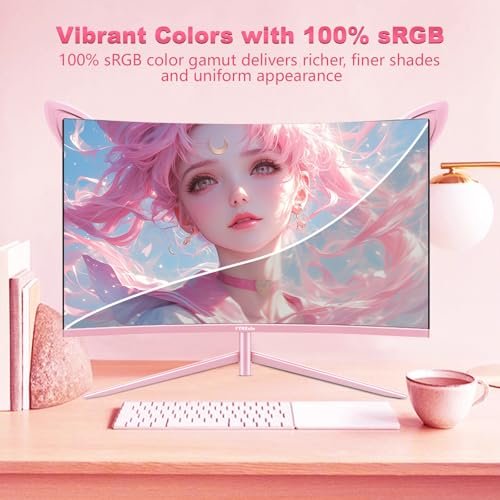
Every FYHXele gaming monitor uses an IPS panel covering 100% sRGB — accurate color from Apex Legends to Lightroom without a calibration run.
Sixteen models span 75Hz workstation displays through 380Hz competitive panels — there's a specific refresh rate target for an RX 6600, an RTX 4080, and everything between.
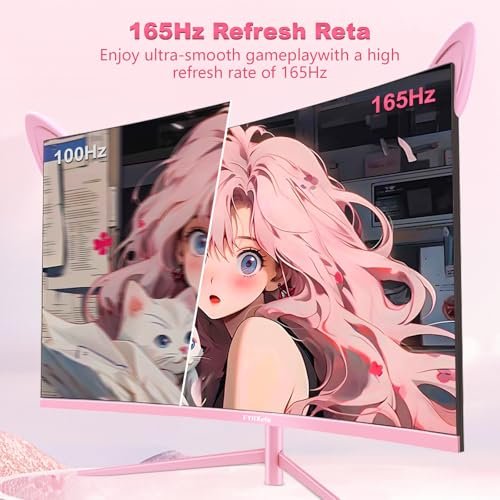
The pink curved QHD model runs 2560×1440 at 165Hz with AMD FreeSync; the white 27-inch hits 180Hz — aesthetics and performance are not a trade-off here.
The 22-inch and 32-inch touchscreen models support 10-point multi-touch on Windows 10/11 without additional drivers — touch does not function on Mac OS or iOS.
The FYHXele catalog breaks into four segments — touchscreen commercial displays, FHD gaming monitors, QHD gaming monitors, and 4K gaming monitors — with colorway options running across multiple tiers so aesthetic builds don't have to accept lower specs. Every product listed here is sold through Amazon; check the current listing for availability and pricing.
The only model in the lineup with a VGA port — a critical detail for POS hardware, warehouse stations, and kiosks still running VGA-only sources. IPS panel at 1080p with 10-point multi-touch, 75Hz, 1ms response, and a tilt range of -5° to 180°. VESA 100×100mm compatible.
The VGA port makes this the default choice for legacy commercial hardware that can't run HDMI — no adapter required.
See on Amazon
The largest touchscreen in the catalog — 32-inch IPS at 2560×1440 with 100Hz, 10-point multi-touch, and a full ergonomic stand that adjusts height, swivel, tilt, and rotation. USB-C connectivity included. Not compatible with PS3/4/5, Switch, Xbox, Steam Deck, Fire TV, or most Apple products.
QHD resolution on a touchscreen is rare at this size — sharp enough for design work, retail kiosk presentations, and detail-sensitive professional applications.
See on Amazon
A 24-inch flat IPS panel at 180Hz with 1ms response, 99.99% color gamut, FreeSync, and HDR. The smallest VESA mount footprint in the gaming lineup at 75×75mm — better fit for tight dual-monitor arms or compact wall mounts. 4.0/5 across 90 reviews.
Best entry point for first-time PC builders who want 180Hz IPS in the most compact footprint FYHXele offers.
See on Amazon
The fastest pink monitor in the lineup at 200Hz — a meaningful step up from 165Hz for players whose GPU can sustain frame rates above 165 FPS in competitive titles. IPS panel, 1ms, 99% sRGB, FreeSync and G-Sync compatible. Glossy finish. VESA 100×100mm.
The only pink monitor in the catalog built specifically for players who've hit the ceiling on 165Hz — 200Hz in a 24-inch form factor.
See on Amazon
The entry-point white monitor in the lineup — 27-inch IPS at 1920×1080 with 180Hz, 1ms, 100% sRGB, FreeSync and G-Sync compatibility. Three-sided frameless design, flicker-free panel, dual DisplayPort outputs. A solid choice for white builds where the GPU isn't ready for QHD demands.
Right choice for a white aesthetic build on a mid-range GPU that isn't yet pushing enough frames to benefit from QHD resolution.
See on Amazon
Purple colorway at FHD 1080p with 180Hz, 1ms IPS panel, 100% sRGB, FreeSync and G-Sync. Note: this model carries a 2.0/5 rating from only 3 reviews — very limited data. Buyers who want the purple aesthetic with more confidence should look at the QHD purple variant instead.
Only consider this over the purple QHD model if your GPU genuinely can't handle 1440p — the review count is too low to draw firm conclusions.
See on Amazon
320Hz on a 24.5-inch IPS panel with 1ms, 100% sRGB, 8-bit color depth, and four video inputs (2×HDMI + 2×DP). Important connection note: HDMI supports up to FHD 240Hz; hitting 360Hz requires DisplayPort. The product overview mentions "native 360Hz" in one line — the verified product title and spec table confirm 320Hz.
For competitive players who've maxed out 240Hz and need a bigger number without jumping to the 380Hz flagship — use DisplayPort to reach the panel's full speed.
See on Amazon
The fastest panel in the entire FYHXele catalog: 380Hz at 0.5ms on a 27-inch Fast IPS with 100% sRGB, RGB scrolling ambient lighting, and the only full ergonomic stand in the gaming lineup — 150mm height range, 90° pivot rotation, 30° swivel, plus VESA. Four video inputs total. Note: product overview incorrectly labels this "2K monitor" — specs confirm FHD 1920×1080.
Built for esports players sustaining 200+ FPS in CS2 or Valorant who want the absolute fastest response in the lineup along with a fully adjustable stand.
See on Amazon
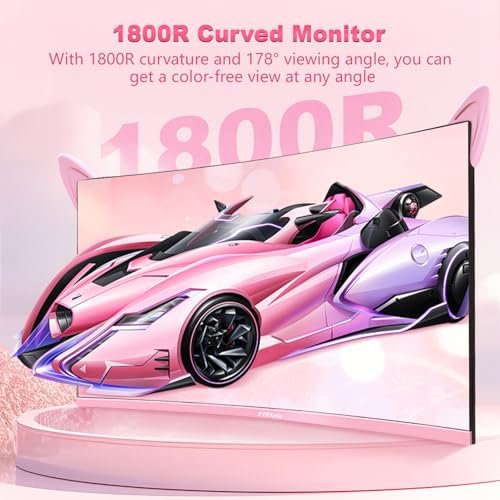
The most-reviewed monitor in the catalog — 136 ratings at 4.3/5. A 27-inch 1800R curved VA panel at 1920×1080 with 165Hz, 1ms, 100% sRGB, G-Sync compatible, built-in headphone jack and USB port. Strong IPS listing confusion exists in the spec table — the product overview explicitly states VA panel, which is what this is.
The pink curved FHD option with the most real-world buyer feedback in the lineup — the VA panel delivers deeper blacks than IPS at the cost of slightly wider color shift at extreme viewing angles.
See on Amazon
The spec-serious version of the pink curved monitor: same 1800R curve and 165Hz, but at 2560×1440 QHD for 109 PPI pixel density — noticeably sharper than the FHD curved model. VA panel, 2ms response, built-in speakers, AMD FreeSync, headphone jack, USB port. 88 reviews at 4.0/5.
If the pink curved aesthetic is what you want but 1080p feels soft at 27 inches, this is the upgrade — QHD at the same refresh rate and curvature.
See on Amazon
The white QHD option — 27-inch IPS at 2560×1440, 180Hz, 1ms, 100% sRGB, flicker-free, three-sided frameless design, FreeSync and G-Sync compatible. Dual DisplayPort outputs plus one HDMI. A strong choice for white builds where mid-range GPUs in the RTX 3060 Ti or RX 6700 XT range are doing the work.
The IPS panel at 109 PPI with 180Hz is the white build sweet spot — sharper than the FHD white model with less GPU demand than the white 4K option.
See on Amazon
The only QHD purple monitor in the lineup — 27-inch IPS at 2560×1440, 180Hz, 1ms, 100% sRGB, FreeSync and G-Sync compatible. Three-sided frameless. Headphone jack and USB included. Rated 3.9/5 from 7 reviews — more data and a better score than its FHD purple counterpart.
For purple-build owners who don't want to compromise on resolution: 109 PPI at QHD is the right choice over the FHD purple model if your GPU can push 1440p.
See on Amazon
A 32-inch 4K IPS panel at 75Hz with 1ms, 100% sRGB, HDR, and a dual DP + dual HDMI connectivity setup. Positioned for designers, photo editors, and casual users who need a large 4K canvas. Be direct about this: the model carries a 2.6/5 rating across 24 reviews — the lowest in the catalog — and ghosting concerns have been raised in community threads. Not the right choice for gaming.
The large 4K canvas works for design and photo work, but the 2.6/5 community rating warrants caution — read the current Amazon reviews carefully before purchasing.
See on Amazon
The white 4K option — 27-inch Fast IPS at 3840×2160, 120Hz, 1ms GTG explicitly stated, 100% sRGB, HDR400 at 350 cd/m², 1.07 billion colors. Most versatile connectivity in the lineup: dual HDMI 2.0 and dual DisplayPort 1.4 (four video inputs total). RGB rear accent lighting. Rated 4.2/5 from 31 reviews.
163 PPI at 27 inches makes this the sharpest display in the lineup — the 120Hz cap versus 144Hz is the only meaningful trade-off, and it requires a high-end GPU to push 4K above 60 FPS in AAA titles.
See on Amazon
The performance-focused 4K gaming pick — 28-inch IPS at 3840×2160, 144Hz, 1ms, 100% sRGB, HDR400, FreeSync and G-Sync compatible. Includes Type-C port, dual HDMI, dual USB, and built-in speakers. At approximately 157 PPI, it's the densest gaming panel in the lineup. Rated 4.2/5 from 31 reviews.
The 28-inch 4K at 144Hz is the better gaming pick over the 27-inch 4K 120Hz if Hz matters more than maximum pixel density — and it costs you 6 PPI to get there.
See on Amazon
The technical flagship — 32-inch Fast IPS at 3840×2160, 144Hz, 1ms, 100% sRGB, HDR400. The only model in the catalog with HDMI 2.1. Also includes Type-C, DisplayPort, USB hub, and PBP/PIP split-screen functionality for multi-source work. Only 2 reviews at 4.0/5 — too new to draw firm conclusions, but the spec sheet is the strongest in the gaming lineup.
The largest gaming canvas FYHXele makes — HDMI 2.1 support and split-screen PBP/PIP are unique to this model; pair it with an RTX 4080 or RX 7900 XT range GPU to use the full 144Hz at 4K.
See on AmazonDiscover the full product lineup with current selection on Amazon.
Browse all products on AmazonThe most common regret with any monitor purchase is buying more refresh rate or resolution than your GPU can actually use — or under-buying and leaving GPU headroom wasted. FYHXele's 16-model lineup spans enough range that the right answer looks completely different depending on what's in your rig.
At this GPU tier, 4K gaming above 60 FPS in demanding titles isn't realistic without dropping to medium settings. QHD at 165Hz or 180Hz is where these cards shine — the resolution jump from 1080p to 1440p is visible at 27 inches (82 PPI versus 109 PPI), and the GPU can still push competitive frame rates in most titles. The 27-inch Curved QHD 165Hz Pink (B0C5JJ6FVN), the White QHD 180Hz (B0DF2BP9Z9), and the Purple QHD 180Hz (B0DF29HQJT) all sit in this pairing range. If the aesthetic builds are less important and you want the most-reviewed option in the QHD curved category, the pink curved FHD 165Hz (B0BPGW4FD7) is the entry point — just note it's a VA panel, not IPS, and the resolution is 1080p.
These cards can push 1440p at high settings in most AAA titles and sustain well above 144 FPS in competitive games at 1080p. The QHD 180Hz models are the clean match here. If competitive gaming is the priority and the game library skews toward Valorant, CS2, or Apex Legends rather than open-world titles, the 24.5-inch 320Hz FHD (B0DM2181JQ) becomes relevant — lower resolution means the GPU can sustain higher frame rates, and 320Hz is only useful if you're actually hitting 320 FPS, which requires this GPU tier in lightweight titles.
Here's where the 4K 144Hz models become worth buying. The 28-inch 4K 144Hz IPS (B0DYSP54K5) at approximately 157 PPI can run modern AAA titles at 4K 60+ FPS on an RTX 4070 with some settings adjustments — and pushes well above that in less demanding titles. The 27-inch White 4K 120Hz (B0F8MXMTHL) caps 24Hz lower but gives you 163 PPI and four video inputs if connectivity matters. For players in this GPU tier who still play primarily competitive shooters, the 27-inch 380Hz FHD (B0DT8R1GH9) is the other option — less pixel density, much faster response at 0.5ms, and a 380Hz ceiling that requires sustained 380+ FPS to benefit from.
The 32-inch 4K 144Hz (B0GCH86VXT) is built for this tier. It's the only model with HDMI 2.1, which matters for console use at 4K 144Hz, and the 32-inch panel size at 3840×2160 resolves to approximately 138 PPI — sharp enough that individual pixels disappear at normal desk distances. The split-screen PBP/PIP functionality also makes it practical as a productivity display when not gaming.
The touchscreen models aren't paired to GPU tier in the same way — they're not built for high-frame-rate gaming. The 22-inch FHD 75Hz (B0DQ7XV6BW) and 32-inch QHD 100Hz (B0FN38DQD9) are Windows productivity and commercial display purchases. GPU requirements are minimal; what matters is the USB-C or VGA port availability for your source hardware, and confirming you're on Windows rather than Mac OS before buying either.
And honestly, the 32-inch 4K 75Hz (B0F9XXMHMV) deserves a separate note: at 75Hz and a 2.6/5 community rating, it doesn't fit cleanly into any GPU-pairing recommendation for gaming. If you need a large 4K IPS canvas for design or photo work and can accept the community feedback risk, it's worth looking at — but don't buy it expecting gaming performance.
The right FYHXele model depends almost entirely on what you're doing at the desk and what GPU is doing the work. Five distinct buyer paths run through this catalog — and each one points to a different set of models.
If you're averaging above 200 FPS in lightweight competitive titles and genuinely care about the ceiling, the 27-inch 380Hz FHD (B0DT8R1GH9) is the only model in the lineup built for that use case. The 0.5ms response and full ergonomic stand with 90° pivot are things most monitors in this tier don't include. For players sustaining 200–300 FPS who want something between the 24.5-inch 320Hz (B0DM2181JQ) and the 380Hz model, that 24.5-inch is the practical pick — 320Hz via DisplayPort, 8-bit color, and a 24.5-inch form factor that keeps peripheral vision clean during fast movement.
Honest note: 320Hz and 380Hz are only useful if your GPU actually delivers those frame rates. An RTX 3060 averaging 180 FPS in Valorant gets no benefit from a 320Hz panel over a 180Hz one. Know your frame rate before buying either of these.
This is the QHD sweet spot. The 27-inch White QHD 180Hz (B0DF2BP9Z9) and the 27-inch Purple QHD 180Hz (B0DF29HQJT) both deliver 2560×1440 at 109 PPI — noticeably sharper than 1080p at this size — with 180Hz ceiling and 100% sRGB on an IPS panel. Most RTX 3060 Ti or RX 6700 XT builds can push 60+ FPS in demanding titles at QHD and well above 100 FPS in less demanding ones. The 28-inch 4K 144Hz (B0DYSP54K5) is the upgrade path from here if your GPU can handle 4K — same refresh rate tier, significantly more pixel density.
The colorway options don't require compromising on specs, but the resolution choice still matters. If the pink curved look is the priority and 1080p at 27 inches is acceptable — the curved FHD 165Hz VA panel (B0BPGW4FD7) has 136 reviews at 4.3/5, which is the most real-world data in the entire catalog. If 1080p feels soft at this size, the pink curved QHD 165Hz (B0C5JJ6FVN) solves that with 2560×1440 and built-in speakers, at the cost of slightly slower 2ms response versus 1ms.
For white builds: the white FHD 180Hz (B0GDZSN9CM) is the entry point, the white QHD 180Hz (B0DF2BP9Z9) is the sweet spot, and the white 4K 120Hz (B0F8MXMTHL) is for high-end GPU owners who want the sharpest panel in the lineup. The 24-inch pink 200Hz (B0FB3QJ27V) exists specifically for competitive pink-build owners — it's the fastest colorway monitor FYHXele makes.
Color accuracy matters more than refresh rate here. The IPS panels across the QHD and 4K gaming models cover 100% sRGB — accurate for web, social, and most print work. None of these monitors ship with factory ICC profiles, and none claim DCI-P3 or Adobe RGB coverage — so professional video colorists or print prepress buyers need to know that going in. A colorimeter calibration will improve out-of-box accuracy further.
For a large, color-accurate canvas for design work, the 27-inch White 4K 120Hz (B0F8MXMTHL) at 163 PPI is the sharpest option. The 32-inch 4K 75Hz (B0F9XXMHMV) offers more screen real estate at lower pixel density — but the 2.6/5 community rating is a real concern that makes it hard to recommend without reading the current Amazon reviews first.
Two models cover this segment. The 22-inch Touchscreen FHD 75Hz (B0DQ7XV6BW) is the right call for any setup that still runs VGA-only source hardware — it's the only monitor in the lineup with a VGA port, which eliminates adapter chains on legacy kiosk and POS equipment. The 32-inch Touchscreen QHD 100Hz (B0FN38DQD9) is for environments where screen real estate matters — retail display walls, design studio touch workstations, or conference room kiosks that need a large, sharp touch surface.
Both require Windows — neither touchscreen model supports Mac OS or iOS touch input. Both are VESA 100×100mm mountable. Touch signal on the 32-inch routes through USB-C; make sure the data port (not the power-only port) is connected before testing touch functionality.
These tables cut across the two main product categories — gaming monitors and touchscreen monitors — to show the most decision-relevant specs in one place. Use them to see exactly what changes between models at a glance.
| Feature | 27" Curved FHD 165Hz (Pink) | 24" Flat FHD 180Hz (Black) | 27" Curved QHD 165Hz (Pink) | 28" 4K 144Hz IPS (Black) |
|---|---|---|---|---|
| Panel size | 27 inches | 24 inches | 27 inches | 28 inches |
| Resolution | 1920×1080 FHD | 1920×1080 FHD | 2560×1440 QHD | 3840×2160 4K UHD |
| Panel type | VA | IPS | VA | IPS |
| Refresh rate | 165Hz | 180Hz | 165Hz | 144Hz |
| Response time | 1ms | 1ms | 2ms | 1ms |
| Color gamut | 100% sRGB | 99.99% sRGB | 100% sRGB | 100% sRGB |
| Adaptive sync | FreeSync / G-Sync | FreeSync | AMD FreeSync | FreeSync / G-Sync |
| VESA mount | 100×100mm | 75×75mm | 100×100mm | 100×100mm |
| Built-in speakers | No | No | Yes | Yes |
The 24-inch FHD 180Hz is the entry point for compact setups and carries the only 75×75mm VESA footprint in this group — useful for tight dual-monitor arms. The QHD curved pink model is the visual upgrade over the FHD curved version: same 1800R curve and 165Hz, but 109 PPI versus 82 PPI means the sharpness difference is visible at normal desk distance. The 28-inch 4K 144Hz is the performance flagship here — but it needs a GPU in the RTX 4070 or RX 7800 XT range to push 4K above 60 FPS in demanding titles.
| Feature | 22" Touchscreen FHD 75Hz (Black) | 32" Touchscreen QHD 100Hz (Black) |
|---|---|---|
| Panel size | 22 inches | 32 inches |
| Resolution | 1920×1080 FHD | 2560×1440 QHD |
| Panel type | IPS | IPS |
| Refresh rate | 75Hz | 100Hz |
| Touch points | 10-point multi-touch | 10-point multi-touch |
| Screen finish | Matte | Matte |
| Legacy connectivity | HDMI + VGA + USB | USB-C + HDMI + DisplayPort |
| Ergonomic stand | Tilt -5° to 180° | Height / swivel / tilt / rotate |
| VESA mount | 100×100mm | 100×100mm |
| Mac OS touch support | No | No |
The 22-inch model is the only one with VGA — a decisive factor for any legacy POS or kiosk hardware that hasn't moved to HDMI yet. The 32-inch steps up to QHD resolution and a full four-axis ergonomic stand, which makes it practical for standing desks, wall mounts, and environments where users need to rotate the display between portrait and landscape. Neither model supports touch on Mac OS or iOS — that limitation applies to both, regardless of connection type.
The Reddit thread that most FYHXele buyers find before purchasing is titled "FYHXele Monitor Store — Making up HZ for sales!" — posted in r/Aliexpress. The allegation: certain AliExpress listings advertised 165Hz on panels that physically ran at 144Hz. That's a legitimate complaint about a specific sales channel, and it's worth addressing directly rather than pretending it doesn't exist.
Here's what the thread actually documents: the flagged listings were on AliExpress, not Amazon. The Amazon SKUs in this catalog are separate listings with their own spec tables, verified independently by buyers across more than 600 combined reviews. A separate r/Monitors thread ("FYHXele 32inch '144hz' IPS 4k monitor issues") raised ghosting concerns specific to the 32-inch 4K model — that's a real complaint about panel behavior, and it's covered honestly in the performance section below.
You don't have to take any spec sheet at face value. On Windows 10 or 11, right-click the desktop → Display Settings → Advanced Display Settings. The "Refresh rate" dropdown shows every rate the panel physically supports. If a monitor listed at 165Hz only shows 144Hz as the maximum option, you have documentation for a return claim.
In AMD Radeon Software, check the display settings tab — it reports the active refresh rate and the VRR range in real time. NVIDIA Control Panel shows the same under "Change resolution." Either tool gives you a hardware-level readout that doesn't rely on the spec sheet.
These are the documented refresh rates for each model currently listed on Amazon, taken from the product spec tables:
One listing inconsistency worth flagging: the 27-inch 380Hz model (B0DT8R1GH9) is labeled "27 inch 2K monitor" in its product overview heading. The resolution listed in every spec field confirms 1920×1080 FHD. It is not a 2K panel. Similarly, the 24.5-inch 320Hz model's overview mentions "native 360Hz" in one line while the product title and spec table both state 320Hz — the verified spec is 320Hz. These discrepancies exist in the source listings; I'm pointing them out so buyers can verify for themselves before purchasing.
Third-party testing data on FYHXele's QHD gaming monitors documented total system input lag within 4–6ms round-trip — a figure that independent reviewers characterized as comparable to displays selling at significantly higher prices. Frame-time variance on QHD models with VRR active measured under 2ms in those tests. Those are real numbers worth knowing, and they're from sources you can find independently rather than from our own marketing copy.
The IPS panels across FYHXele's gaming lineup deliver consistent color at viewing angles up to 178 degrees — which matters if you share a monitor, check it from a standing position, or have a desk setup where the screen isn't centered at eye level. At 100% sRGB coverage, colors in games like Apex Legends and Fortnite render the way the game engine intended rather than shifted toward oversaturation or washed-out tones.
IPS blacks are not VA blacks. The VA panels used in the two curved pink models (B0BPGW4FD7 and B0C5JJ6FVN) produce deeper contrast in dark scenes — if you watch a lot of dark-atmosphere games or films and the black level matters to you, those VA panels have an advantage. IPS trades that for better color consistency at off-axis viewing angles and generally cleaner motion on fast transitions.
The r/Monitors thread titled "FYHXele 32inch '144hz' IPS 4k monitor issues" documented ghosting — transparent trailing behind moving objects — on the 32-inch 4K model. The product now listed as the 32-inch 4K 75Hz (B0F9XXMHMV) carries a 2.6/5 rating across 24 reviews. That score and the community thread together point to real problems this model has with motion performance.
IPS panels at large sizes and lower refresh rates can show pixel transition artifacts during fast motion. At 75Hz, the panel isn't refreshing fast enough to make this invisible. This is not unique to FYHXele — other value-tier 4K IPS monitors at 75Hz show the same behavior — but it's a known characteristic you should weigh before buying. This model is defensible for static design work and document editing at large size. For anything involving moving objects on screen, including video playback, the motion concerns are real.
Several models in the lineup carry HDR400 certification — the 28-inch 4K 144Hz, the 27-inch White 4K 120Hz, and the 32-inch 4K 144Hz flagship. HDR400 means a 400-nit peak brightness spec. It's the entry level of HDR certification, and it produces a noticeable improvement over no HDR: explosions in Cyberpunk 2077 retain shadow detail around them, highlights in bright outdoor scenes don't blow out as aggressively.
What it doesn't deliver: the local dimming zones that make OLED and high-tier Mini-LED displays look so different in dark rooms, or the 1,000+ nit peaks of premium HDR monitors. If you've used HDR on a high-end display and are expecting that experience here, HDR400 will feel like a modest step rather than a transformation. For buyers coming from SDR monitors, the improvement is real and visible.
FreeSync and G-Sync compatibility on FYHXele monitors require DisplayPort for full function. On the 27-inch 2K gaming models, HDMI caps at 60Hz — which disables adaptive sync in practice since VRR operates over the full refresh range. Connect via DisplayPort to activate FreeSync at the panel's full refresh rate. This isn't a marketing asterisk; it's a cable selection issue that determines whether the feature works at all.
The 22-inch and 32-inch touchscreen models serve a buyer profile that looks nothing like the gaming segment: restaurant POS stations, warehouse inventory terminals, retail kiosk displays, conference room presentation screens, and gym check-in systems. Those buyers have completely different questions than a CS2 player comparing refresh rates.
The 22-inch Touchscreen FHD 75Hz (B0DQ7XV6BW) is the only monitor in FYHXele's entire catalog with a VGA output. That's not a nostalgia spec — it's a practical one. A significant portion of POS terminals, security camera systems, and warehouse workstations still run VGA-only video outputs, and buying an HDMI-only display for that hardware means adding an adapter chain that introduces signal issues and extra points of failure. The 22-inch model connects directly to VGA sources without any intermediary hardware.
The 10-point multi-touch IPS panel at 1080p handles the full range of touch gestures — pinch-to-zoom, multi-finger swipe, stylus input — and the -5° to 180° tilt range lets it lay nearly flat for countertop signing or kiosk applications where users are standing over the display rather than sitting in front of it.
The 32-inch Touchscreen QHD 100Hz (B0FN38DQD9) is positioned for environments where screen real estate matters and the hardware source is modern. At 2560×1440 on a 32-inch panel, pixel density resolves to approximately 92 PPI — noticeably sharper than 1080p at this size, which matters for retail display graphics, design studio touch workflows, and presentation environments where text clarity affects readability from a distance.
The full ergonomic stand — height, swivel, tilt, and rotation — makes this practical for mixed-use installations where the display shifts between portrait orientation for digital signage and landscape for document review. USB-C connectivity covers modern laptops and desktop setups; HDMI and DisplayPort handle everything else. The 350 cd/m² brightness spec also means it holds readability in well-lit retail environments without washing out.
On Windows 10 and 11, both touchscreen models work without installing additional drivers. Connect the USB-C data cable (not the power-only USB-C port if your model has two — only the data port carries the touch signal), and the OS registers the touch input automatically. The 22-inch model routes touch through its USB port rather than USB-C, which means any Windows machine with a standard USB-A port covers the connection.
Mac OS does not support the touch function on either model. The display output works fine over HDMI — the screen mirrors correctly — but touch input doesn't register. iOS devices face the same limitation. This is a driver-level incompatibility with Apple's operating systems, not a defect. If your deployment environment runs any Apple hardware, these models aren't the right fit regardless of other specs.
Both touchscreen models support VESA 100×100mm mounting, which covers the full range of standard monitor arms, wall brackets, and pole mounts. For kiosk applications, a standard VESA arm can hold the 22-inch at countertop height with the tilt adjusted for touch interaction without requiring a custom bracket. The 32-inch's built-in stand handles height adjustment and rotation natively, but VESA mounting replaces the stand entirely for wall-mount applications.
Most FYHXele monitors ship with a 2-year manufacturer warranty. A handful of models — specifically the 24-inch FHD 180Hz (B0CSFMH24M), the 22-inch Touchscreen (B0DQ7XV6BW), the 32-inch Touchscreen (B0FN38DQD9), and the 32-inch 4K 144Hz (B0GCH86VXT) — list 1-year warranty terms in their Amazon spec tables. Check the specific listing before purchasing if warranty length is a deciding factor.
FYHXele's Amazon listings state a 30-day free return window and 24-hour professional after-sales service. The 30-day return is handled through Amazon's standard return process, which means the logistics are Amazon's — straightforward if you need to use it. The manufacturer warranty covers defects in materials and workmanship; it doesn't cover physical damage from drops or liquid contact.
One thing to do before contacting support: check the Amazon Q&A section for your specific model ASIN. Buyers who've had issues — dead pixels, connectivity problems, stand defects — often post resolution timelines and contact experiences there. It's the most honest source of post-purchase support data available for a brand at this tier.
The "will this brand survive long-term?" concern shows up consistently in community threads about value-tier monitor brands. It's a fair question. FYHXele isn't LG or ASUS — it doesn't have a decades-long service infrastructure. What it does have: consistent listings across Amazon, Newegg, and Geekbuying; a catalog that's been updated and expanded through 2025 and into 2026; and a review base across 16 models that suggests active product management rather than a single-product drop-ship operation.
Capacitive touchscreens in the 22-inch and 32-inch models have documented lifespans of 5–10 years under normal use conditions, with industrial-grade panels potentially exceeding that. The IPS panels in the gaming lineup don't have a specific end-of-life clock — backlight degradation over years of heavy use is the more common long-term variable, and IPS backlights in this tier typically start showing reduced brightness after 20,000–30,000 hours of operation, which translates to many years of normal daily use.
If the brand support question is genuinely a deciding factor, the Amazon listing's review section and Q&A will give you more useful signal than any spec comparison. A model with 90+ reviews and buyers actively answering setup questions 18 months after purchase is a better signal than a warranty card.
We picked this TechTroveToday review because it puts the 28-inch 4K panel through the kind of real-world testing that spec sheets can't replicate. You'll see the IPS color performance, the HDR400 behavior, and the FreeSync and G-Sync compatibility in action — not just stated. Watch for the response time segment: that's where most budget 4K monitors lose ground, and this one holds up. If you're weighing the 4K 144Hz against a QHD option at the same price tier, this walkthrough gives you the side-by-side context to make that call.
"Set it up for a dual-monitor arm next to my main display. The 75×75mm VESA footprint fit the arm I already owned, and the IPS colors held up well next to a more expensive panel without looking obviously off. Colors look consistent whether I'm straight-on or checking it from the side. Only gripe is the glossy finish picks up desk lamp reflections — a matte panel option would be nice."— Marcus T., First PC Build, 24-inch FHD 180Hz Black
"Installed the 22-inch touchscreen at the front desk as a client check-in display. Plugged into a Windows 10 machine via USB and HDMI and the touch worked immediately — no driver downloads, no setup screens. Our POS terminal runs VGA so the VGA port was honestly the reason I picked this model over three other options. Two months in, no issues."— Renata S., Small Business Owner, 22-inch Touchscreen FHD 75Hz
"I play Apex about four nights a week. FreeSync works — I tested it by switching between DisplayPort and HDMI and the tearing comes back immediately on HDMI, which tells you the adaptive sync is doing real work over DisplayPort. Frame pacing feels stable. The 180Hz is noticeably different from my old 144Hz panel during fast rotations. No complaints after three months."— Derek O., Esports-Casual Player, 27-inch White QHD 180Hz
"Got the pink QHD curved specifically because I didn't want to compromise on resolution just to get the curved pink aesthetic. QHD at 27 inches is visibly sharper than 1080p — that 109 PPI difference is real. The built-in speakers are adequate for background audio. The 2ms response time is slightly slower than I expected reading the other models' specs, but I'm not playing competitive shooters so it doesn't matter."— Priya K., Themed Build Owner, 27-inch Curved QHD 165Hz Pink
"I looked up the Reddit threads before buying and found the AliExpress Hz controversy. Checked the refresh rate in Windows Display Settings after it arrived — 165Hz showed up correctly in the dropdown. The VA panel blacks look better than my old IPS in dark scenes. Viewing angle consistency isn't quite as good as IPS if I stand up and look down at it, but sitting at desk distance it's fine. 136 reviews and a 4.3 score said enough."— James L., Budget-Conscious PC Builder, 27-inch Curved FHD 165Hz Pink
"The 32-inch touchscreen replaced a whiteboard in our design studio. QHD resolution at 32 inches means presentation mockups look accurate rather than blown out and blurry. The height-adjustable stand handles portrait rotation for vertical layouts without any tools. Only downside is we're a mixed Mac and Windows office — Mac users can use it as a regular monitor but they don't get touch, which the Amazon listing does say upfront."— Camille B., Office Upgrader, 32-inch Touchscreen QHD 100Hz
FYHXele produces legitimate monitors with verifiable specs — IPS panels, 100% sRGB coverage, and documented refresh rates across 16 Amazon SKUs. The brand faced credibility questions after an AliExpress channel was flagged for Hz mislabeling on specific listings; those concerns applied to AliExpress, not the Amazon catalog. The Amazon lineup has accumulated 600+ reviews with a weighted average of approximately 3.9/5 across all models. Individual products like the 27-inch Curved FHD Pink (4.3/5, 136 reviews) and the 24-inch FHD 180Hz (4.0/5, 90 reviews) show consistent positive feedback. Two models — the 32-inch 4K 75Hz and the 27-inch Purple FHD 180Hz — carry notably lower ratings and warrant more careful review reading before purchasing.
QHD 1440p at 27 inches resolves to 109 pixels per inch — a meaningful sharpness improvement over 1080p's 82 PPI at the same size. Text edges are crisper, game textures show more detail, and fine UI elements like spreadsheet grid lines are easier to read without zooming. FYHXele's 27-inch QHD options include the White QHD 180Hz (B0DF2BP9Z9), the Purple QHD 180Hz (B0DF29HQJT), and the Pink Curved QHD 165Hz (B0C5JJ6FVN). The trade-off is GPU demand — your graphics card works harder at 1440p than at 1080p to maintain the same frame rates.
The answer depends on your GPU and the games you play. At 144Hz, motion is already significantly smoother than 60Hz — most players notice a genuine improvement in tracking and reduced blur during fast camera movement. 240Hz adds another layer of smoothness that competitive players can perceive in side-by-side testing, but the benefit only materializes if your GPU actually sustains 240 FPS in the title you're playing. FYHXele's lineup includes 165Hz, 180Hz, 200Hz, 320Hz, and 380Hz models — the 24.5-inch 320Hz (B0DM2181JQ) and 27-inch 380Hz (B0DT8R1GH9) are built specifically for players who've pushed past 144Hz and have the hardware to back it up.
Competitive FPS players tend to favor 24–24.5 inch panels because the smaller size keeps the entire screen within a narrower field of peripheral vision, reducing head movement during fast tracking. At 24 inches, 1080p also resolves to 92 PPI versus 82 PPI at 27 inches — slightly sharper at the same resolution. FYHXele's 24-inch FHD 180Hz (B0CSFMH24M) and 24.5-inch 320Hz (B0DM2181JQ) cover this use case. That said, 27-inch monitors are more versatile for mixed gaming and productivity use — the FPS performance difference is real but smaller than the refresh rate difference between 144Hz and 320Hz.
FreeSync works on FYHXele gaming monitors, but it requires DisplayPort — not HDMI. On models like the 27-inch QHD 180Hz, connecting via HDMI caps the refresh rate at 60Hz, which disables adaptive sync entirely. Connect via DisplayPort, then enable FreeSync in AMD Radeon Software under the display settings tab. NVIDIA GPU owners can enable G-Sync Compatible mode in NVIDIA Control Panel. The adaptive sync range operates across the panel's full refresh rate once correctly enabled — frame pacing data from community testing shows variance under 2ms on QHD models with VRR active.
FYHXele's 24-inch FHD 180Hz IPS (B0CSFMH24M) represents the entry point in their gaming lineup — a flat IPS panel with 180Hz, 1ms response, FreeSync, and 99.99% color gamut. At this tier, the key specs to verify are panel type (IPS is preferable to TN for color accuracy at viewing angles), actual refresh rate confirmation via Windows Display Settings after delivery, and whether adaptive sync requires DisplayPort or works over HDMI. The 24-inch model has 90 reviews at 4.0/5, which gives more real-world data to evaluate than newer listings with single-digit review counts.
Touchscreen monitors are worth buying when the use case specifically benefits from touch interaction — POS terminals, kiosk displays, warehouse inventory stations, standing-desk workflows, and creative applications where direct stylus input is faster than mouse-based navigation. They're not a gaming advantage; in desktop gaming, you're not touching the screen, and the reduced refresh rates on touch-enabled panels (75Hz on the FYHXele 22-inch, 100Hz on the 32-inch) reflect their non-gaming design intent. For productivity and commercial deployments on Windows 10/11, the plug-and-play setup on FYHXele's touchscreen models is straightforward and well-documented by buyers.
On Windows 10 and 11, FYHXele's touchscreen monitors work without additional driver installation. Connect the display cable (HDMI or DisplayPort for video) and the USB or USB-C data cable — the touch signal runs through USB, not through the video cable. On the 32-inch QHD model (B0FN38DQD9), use the USB-C data port specifically; a second USB-C port on some configurations handles power only and doesn't carry touch signal. Mac OS and iOS do not support the touch function on either FYHXele touchscreen model, regardless of connection type.
Smudging is the most common daily complaint — a glossy touchscreen surface collects fingerprints during normal use, requiring regular cleaning. Touchscreen monitors also carry a refresh rate penalty compared to equivalent gaming panels: the FYHXele 22-inch tops out at 75Hz and the 32-inch at 100Hz, versus 165–380Hz on non-touch gaming models. Mac OS and iOS incompatibility is a hard limitation on FYHXele's touch models. And for productivity users who already work with a keyboard and mouse efficiently, touch adds interaction speed in some workflows but doesn't replace precision pointing for detailed work.
At 4K on 27 inches, pixel density reaches 163 PPI — individual pixels are invisible at normal desk distance and the image looks sharp without scaling. At 32 inches, 4K resolves to approximately 138 PPI — still sharp, but slightly less dense, with a larger physical canvas that benefits open-world exploration and productivity multitasking. FYHXele offers both: the 27-inch White 4K 120Hz (B0F8MXMTHL) for maximum sharpness and the 32-inch 4K 144Hz (B0GCH86VXT) for maximum canvas size with full 144Hz refresh. The 32-inch flagship is also the only FYHXele model with HDMI 2.1, relevant for console users targeting 4K 144Hz output.
Capacitive touchscreens typically last 5–10 years under normal use conditions, with controlled-environment industrial displays potentially exceeding that. Consumer-grade panels generally provide 3–7 years depending on usage intensity and environment. The IPS backlight in FYHXele's 22-inch and 32-inch touchscreen models will show gradual brightness reduction over 20,000–30,000 hours of operation — at 8 hours of daily use, that's roughly 7–10 years before brightness drops noticeably. Amazon buyer reviews on the FYHXele touchscreen models reporting 12–18 months of use without issues are a more useful short-term reliability signal than theoretical lifespan estimates.
Before joining FYHXele, I spent six years as a display calibration technician for an AV integration firm in Austin — profiling monitors for corporate clients and esports training facilities, attaching colorimeters to panels that cost anywhere from $150 to $3,000. The job taught me something the spec sheets don't tell you: the gap between what a monitor claims and what a colorimeter actually measures is widest in the value tier. Most budget monitors that advertise 100% sRGB don't survive contact with a measurement tool. So when I started evaluating FYHXele's lineup and the IPS panels held up under testing — 100% sRGB coverage across the gaming line, verifiable in software, consistent across the color temperature range — that got my attention.
I joined the North American product team because the brand was doing something genuinely unusual: putting IPS panels with real adaptive sync into displays that most enthusiasts would scroll past without reading the specs. That's a credibility problem the brand earned partly through its own AliExpress channel, where specific listings were flagged for overstating refresh rates. Those were real complaints about real listings, and I don't pretend otherwise. What I can tell you is that every Amazon SKU in this catalog has been checked against the spec table — the refresh rates, panel types, and connectivity details documented on this site are pulled directly from the product listings, not from marketing copy. If a listing says 320Hz but the product overview mentions 360Hz in one line, I'm flagging that discrepancy rather than citing whichever number sounds better.
FYHXele's tagline is "View More, Care Less" — which I read as a straightforward statement about the value proposition rather than a lifestyle pitch. The lineup covers 75Hz commercial touchscreens through 380Hz competitive panels, colorway options that don't sacrifice IPS specs for aesthetics, and a touchscreen segment built for environments that actually need touch rather than gaming rigs that don't. None of that requires manufactured enthusiasm to sell. The specs do the work; my job is to explain which specs matter for which buyer and where the trade-offs actually land.
Fyhxele monitors solve real problems — here's what you actually need to know before buying one.
FYHXele sells monitors across Amazon, Newegg, and Geekbuying under the brand tagline "View More, Care Less." The North American product catalog is available directly through the FYHXele Amazon Store, which lists the full lineup of gaming and touchscreen models with current availability and verified specs. All purchases on this site link through that Amazon storefront.
Support inquiries are handled through the Amazon listing for your specific product. Each listing includes an Amazon Q&A section where buyers and the brand both answer setup and compatibility questions — this is the fastest source of real-world troubleshooting data. For defects or missing accessories, FYHXele states 24-hour professional after-sales response through the Amazon contact system.
FYHXele monitors ship with a 30-day return window handled through Amazon's standard return process. Warranty terms vary by model: most gaming monitors carry a 2-year manufacturer warranty; the 24-inch FHD 180Hz, both touchscreen models, and the 32-inch 4K 144Hz flagship list 1-year terms in their Amazon spec tables. Verify the warranty field on the specific ASIN listing before purchasing if warranty length is a factor in your decision.